

Print. Track.
Master.
The ultimate tool for makers and professionals. Manage your filaments, analyze your GCode, and optimize your costs with a sleek, intelligent interface.
Key Features
Built for Efficiency
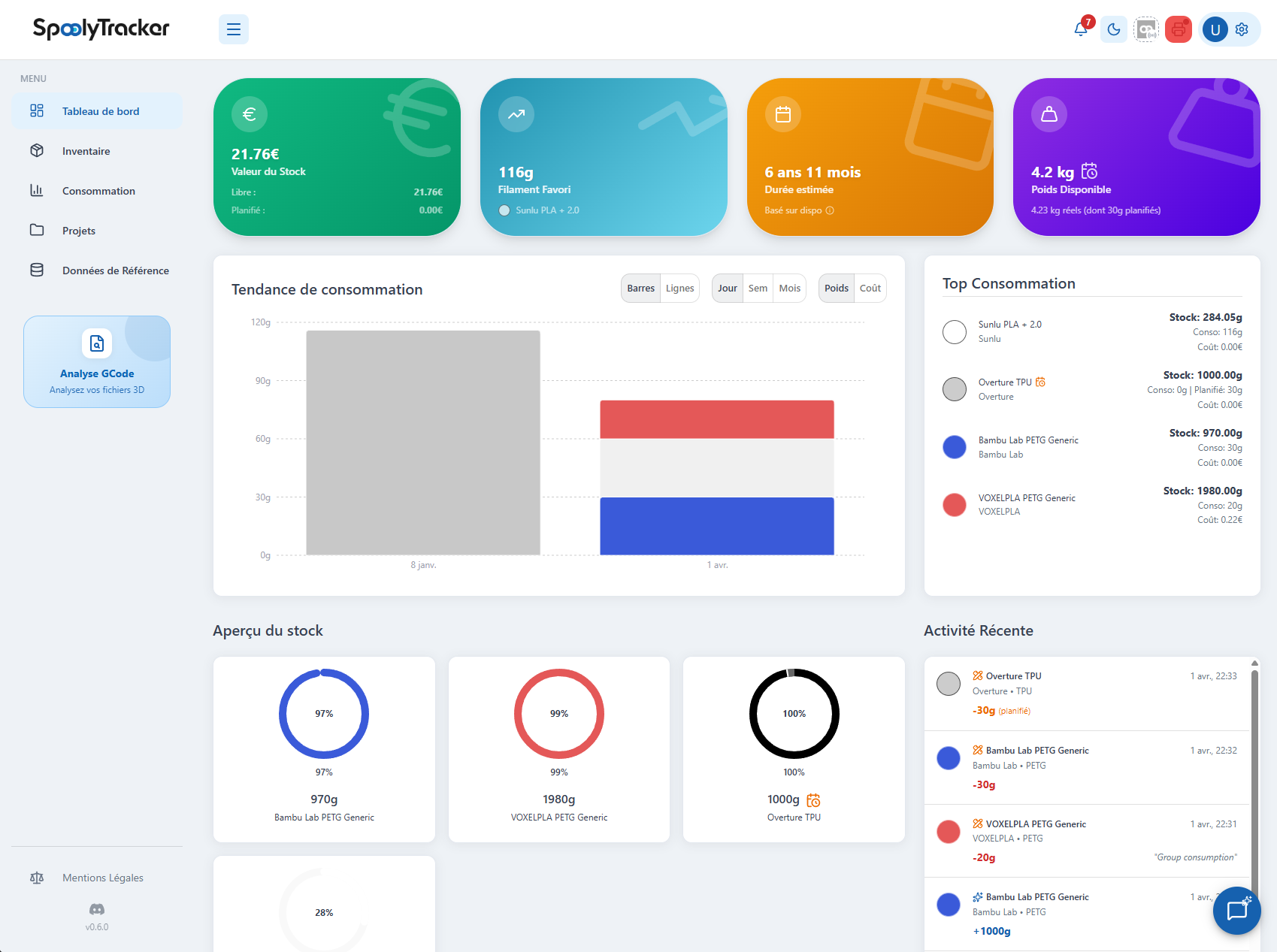
Inventory Management
Track your spools to the gram. Get alerted before running out and optimize your purchases.
NFC Mobile App
One scan, one action. Identify your spools instantly and deduct consumption via NFC.
Spool AI
Natural language: stock by material, risky spools, depletion forecasts and purchase recommendations.
Calibration helper
Built-in calculators turn your test prints into ready-to-use settings: flow, flow ratio, max speed by temperature (VFA), applied to the filament in one click.
Analytics
Customizable dashboards: consumption, costs and stock at a glance. Show, hide and rearrange your charts.
Self-calibrating AI engine
An AI that has to prove itself right
Your workshop learns gradually from every real consumption. At first, SpoolyTracker shows a provisional estimate. Once enough history is available, the models compete on spool endings they have never seen — and only the most reliable one stays active.
Forecast bias, ghost weight, weekly rhythm and consumption memory: the engine sharpens its estimates as you use it. Your data is never mixed with other workshops, and self-hosting keeps it comfortably on your own infrastructure.
Once enough history is available, the calibrated model and the simple baseline compete on unseen spools. If calibration is not at least 5% better, SpoolyTracker prudently keeps the simple method.
Calibrated, prudent, provisional or still learning: you always know where your workshop stands. The page shows reliability as soon as it can be measured, or simply tells you what comes next.
The engine runs in Docker with no LLM by default: deterministic, explainable statistics. Full Swagger for your own tools.
Median out-of-sample error — lower is better.
Spool AI & Rack Storage
Find a spool without digging through the workshop
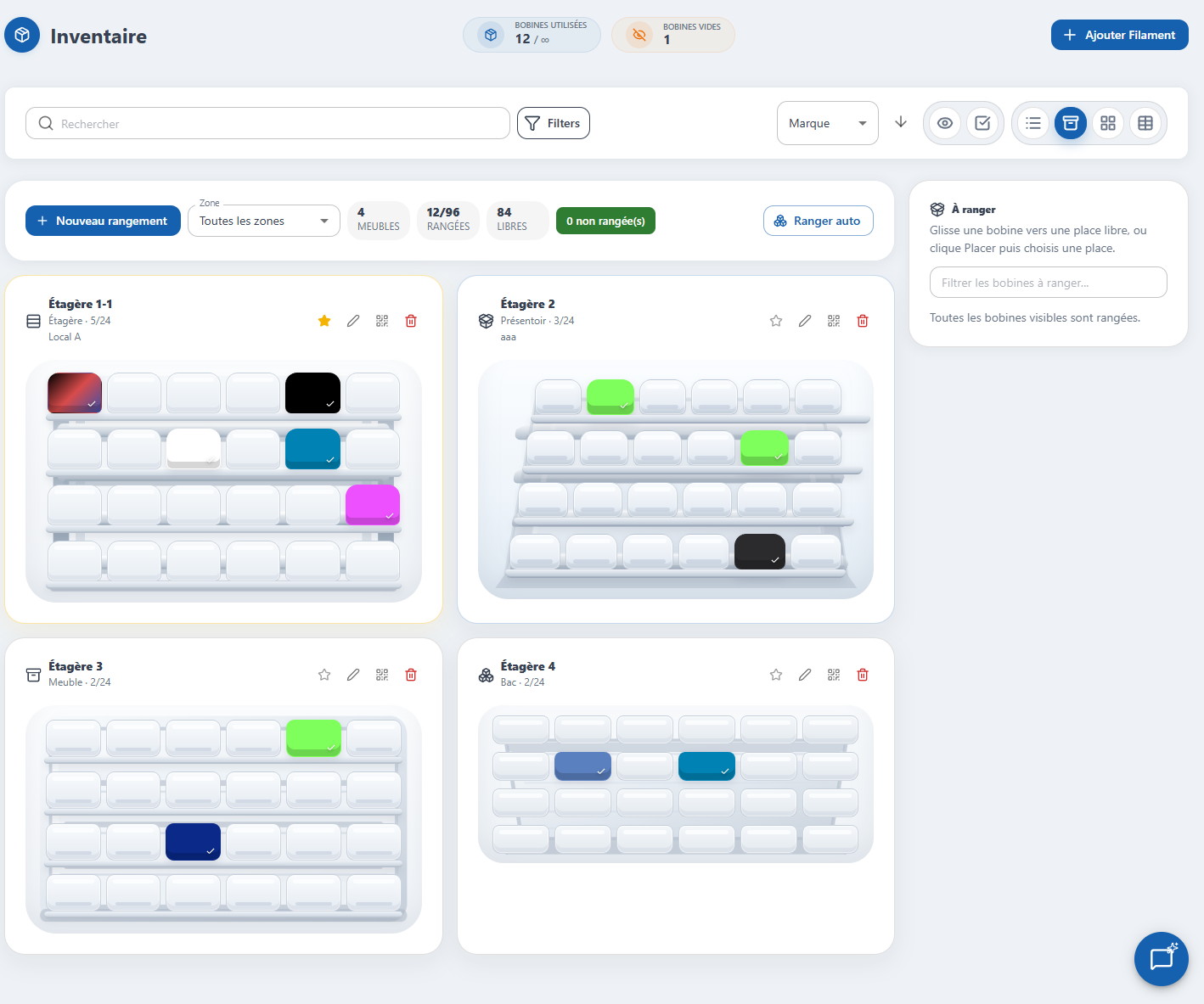
Recreate your shelves, cabinets and bins as they exist in the real world. Spool AI then helps you understand stock levels, prepare print consumption, and spot gaps between inventory and storage.
Ask "Summarize my stock by material and color" and get a real PLA, PETG, TPU, color and remaining-weight breakdown.
"Which spools are almost empty?" lists spools below the threshold with remaining grams and percentage.
"I printed 85g in black PLA" prepares a confirmable action to deduct material from the right spool.
"Can I print the wall mount project?" compares project requirements against available stock.
"When will I run out of black PLA?" estimates a date from your real usage, and flags anomalies.
The AI spots spools to reorder and prepares an order, sorted by urgency, before it blocks your prints.
Spool AI: Active stock contains 4 spools, with 1550g available. PLA: 2 spools, 775g including black 740g and white 35g. PETG: 2 spools, 775g including white 680g and red 95g.
Spool AI: Low stock spools: ArianePlast PLA white, 35g remaining (3.5%); Prusament PETG red, 95g remaining (9.5%).
Spool AI: Feasible estimate. PETG white: 420g required, 680g available. PLA black: 160g required, 740g available.
Spool AI: I propose recording 85g of consumption on black PLA. No data is modified before confirmation.
OrcaSlicer Integration
Keep inventory in sync from your slicer
Add the SpoolyTracker script to OrcaSlicer's post-processing scripts. On each G-code export, SpoolyTracker analyzes filament usage, suggests the right spool, and can automatically deduct consumption.
From Settings > Integrations.
Available in the Downloads area.
In OrcaSlicer, Process > Others.
python "C:\path\to\spooly_orca.py" \
  --api-url https://app.spoolytracker.com \
  --api-key sk_orca_xxx \
--commitaction: spoolytracker.log_consumption
data:
printer_name: "Workshop"
grams_used: 42
ams_unit: 1
ams_slot: 0Home Assistant Integration
Log filament usage from your automations
Install the SpoolyTracker module in Home Assistant, connect your instance with an API key, then let your automations record filament consumption when a print finishes.
HACS > Custom repositories > Integration.
Official cloud or self-hosted instance.
Consumption logs, AMS mapping, active spool.
Filament profile export
Calibrate once, print everywhere
Export any spool as a JSON profile and import it straight into OrcaSlicer or Bambu Studio. Your calibrated settings follow you into the slicer, with no re-entry.
"Export profile" button on the spool.
Filament tab > import the .json file.
The profile is ready, compatible with every printer.
The companion app
Your workshop in
your pocket
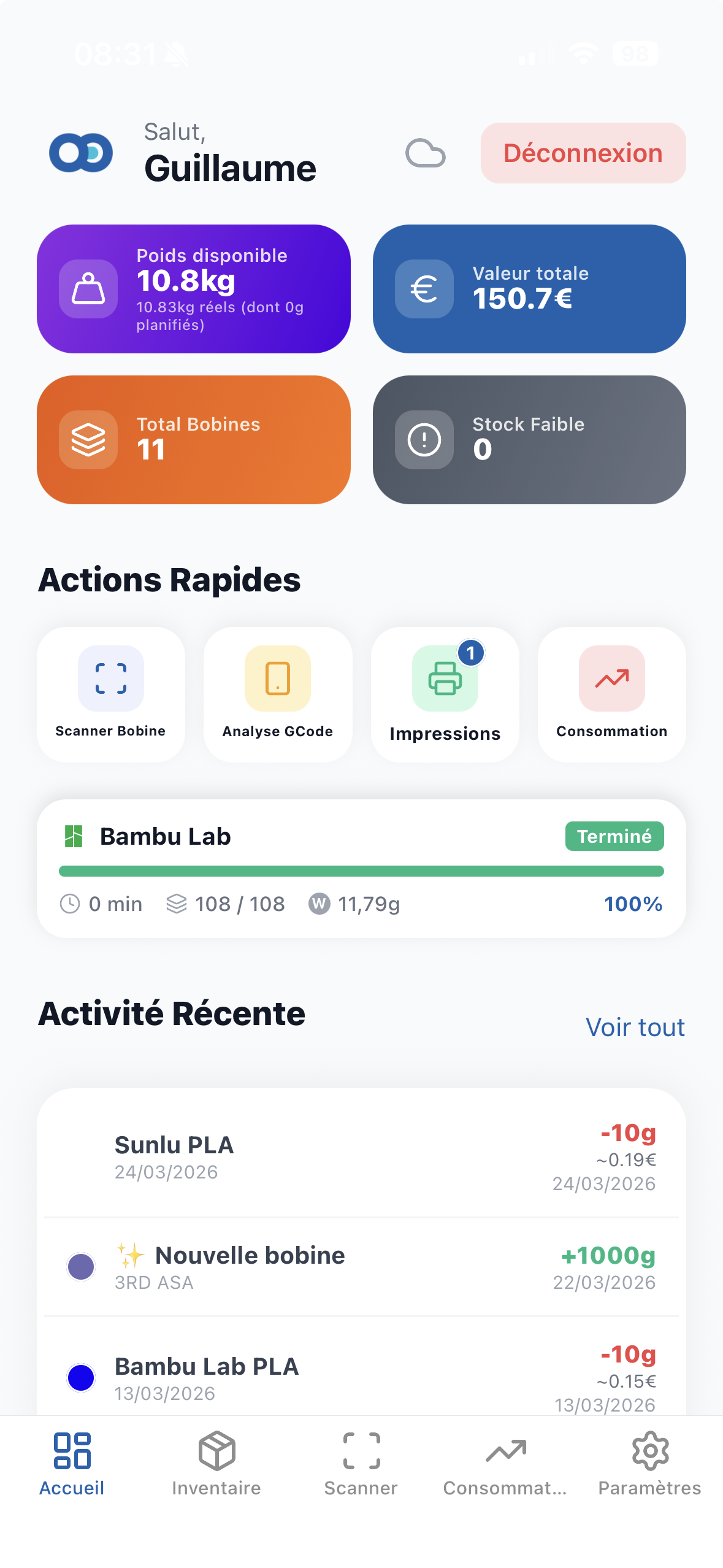
No more going back to your computer. Tag your spools with NFC (TigerTags) and manage your stock with a simple gesture. iOS & Android compatible.
- Instant NFC identification
- Real-time print tracking
- Critical level alerts
Free
- 30 spools max
- 3 users
- 5 projects
- Analytics included
- Standard GCode scan (20MB max)
- 3 files per project
Pro
- 100 spools
- 20 team members
- 50 projects
- Priority GCode scan (100MB max)
- 10 files per project
Enterprise
- Unlimited users
- Unlimited projects
- GCode files (200MB max)
- Collaborative spaces
- Unlimited project files